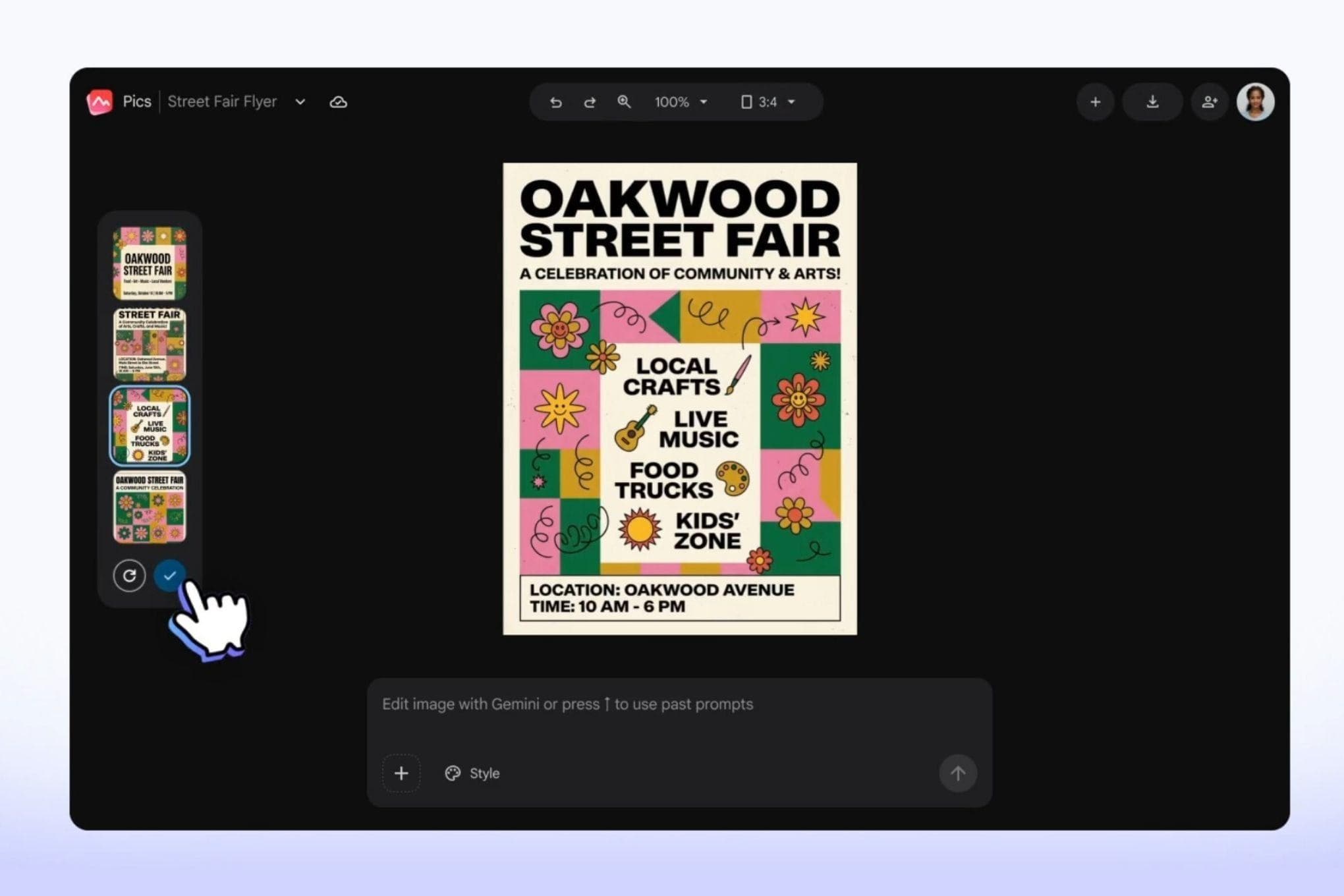
Google launches Pics, an AI‑driven image editor for Workspace users
Google has introduced a new set of creative design tools for Workspace called Google Pics.
The service is built on the Gemini and Nano Banana generative AI models.
Google Pics aims to simplify the creation of professional‑grade images for business users.
In its launch blog, Google noted that teams often face inconsistent results and endless trial‑and‑error when generating marketing visuals.
What Google Pics Offers
The new app lets users generate images from scratch or edit specific objects by describing desired changes.
Users can tap on an object or block of text within an image and issue a prompt to modify it.
According to Google, this granular control helps avoid the “ugly results” that generic chat‑based generators sometimes produce.
Google Pics is available as a standalone Workspace app and as an integration for Docs and Slides.
The integration allows a user to select any picture in a document or presentation and launch the full suite of precision AI tools.
In the coming weeks the feature will also be added to Google Drive for broader access.
The tool includes upscaling options that can boost images to 2K or 4K resolution.
It also provides quick cropping to common web, social, print, or digital formats.
Collaboration is built in, letting teammates share and edit designs directly within the Workspace environment.
Implications for Workspace Users
Similar capabilities are offered by dedicated platforms such as Canva and Adobe Express.
Google positions Pics as a way to keep users from feeling they must be graphic designers to produce quality visuals.
By embedding these functions in Workspace, Google hopes to reduce reliance on third‑party design services for routine creative work.
After a testing phase that began at Google I/O in May, the rollout now covers Business Standard, Business Plus, Enterprise Standard, Enterprise Plus, Google AI Pro, Ultra personal, and AI Pro for Education plans.
The announcement suggests that Google sees a growing demand for AI‑assisted design within corporate and educational settings.
Gemini, the model powering the feature, is part of Google’s broader AI strategy that emphasizes multimodal understanding.
Nano Banana, described as a generative AI model, contributes additional capabilities for fine‑grained image manipulation.
By leveraging these models, Google claims users can achieve more predictable outcomes than with open‑ended prompts.
The integration with Slides means marketers can instantly tweak a visual without leaving the presentation workflow.
For customer‑facing decks, the ability to translate or reformat text within an image can streamline localization efforts.
The upscaling function is useful for producing print‑ready assets from low‑resolution drafts.
Google’s approach contrasts with Canva’s stand‑alone web app, where design tools are accessed outside of a document suite.
Embedding AI editing directly into Docs and Slides may shorten the feedback loop for teams that iterate on visual content.
The rollout to education plans indicates that Google also anticipates classroom projects that involve AI‑generated graphics.
While the feature is not a full replacement for professional design software, it offers a convenient middle ground for everyday business needs.
Observers will watch how adoption rates compare with existing third‑party tools as organizations evaluate cost and workflow efficiency.
Why This Matters
This digest was compiled from:
Share this digest
People Also Read
- UNILAG and Birmingham University to Offer Joint AI and Digital Media Masters Starting 2027
UNILAG and the University of Birmingham unveiled joint AI and digital media master’s programmes to start in Lagos in September 2027.
- NYSC to Deploy AI‑Powered System for Faster Online Registration
NYSC plans to add AI tools to its online registration portal, aiming for a faster, more efficient enrolment process for future corps members.
- Meta unveils Muse Spark Open, a massive open‑weight AI model built for Apple Macs
Meta unveiled Muse Spark Open, an 816‑billion‑parameter open‑weight model that runs on high‑end Macs for coding and media tasks.
Share your thoughts
Reactions, corrections, or insights — all welcome.