OpenAI Introduces ChatGPT Work as a Dual‑Mode Cloud and Local Offering
Two Distinct Versions of ChatGPT Work
OpenAI launched ChatGPT Work on July 9 2026 and has been iterating rapidly since.
The service actually comprises two separate products that share the same name.
One version runs in the cloud and is reachable through chatgpt.com or the official mobile apps.
We will refer to this cloud‑based offering as Work Cloud.
The second version is bundled with the ChatGPT desktop application, formerly known as Codex.
When the desktop app is installed, users gain access to a local capability called Work Local.
Work Local can read files and execute programs directly on the user’s computer.
In practice, Work Local feels like a re‑skinned version of the original Codex, aimed at a broader audience.
An update later added Work Cloud to the desktop app via a “Where should this chat run?” dropdown.
For the remainder of this analysis the focus will be on Work Cloud.
Pricing and Availability
Both flavors of ChatGPT Work are restricted to paid subscribers.
The service is currently available only to plans priced at $20 per month or higher.
Free users and those on the $8 per month “Go” tier do not have access to any Work features.
This subscription model creates a clear division between standard ChatGPT users and those who can run tasks with a defined outcome.
Features That Distinguish Work from Standard Chat
The interface presents Work as a separate tab, positioned alongside the regular Chat view.
OpenAI’s guidance states: “Use Chat when you want an answer, explanation, brainstorm, or short draft. Use ChatGPT Work when you want ChatGPT to complete a task with a clear outcome, such as a brief, deck, analysis, recurring update, workflow, or file you can review and use.”
In practice, many users have already employed regular ChatGPT for those same categories, making the distinction feel subtle.
Key capabilities that appear exclusive to Work include the ability to select Luna or Terra models instead of the default Sol.
Work also provides a code execution environment that has unrestricted Internet access.
This contrasts with standard ChatGPT, where attempts to install additional packages or contact external APIs are blocked by a container proxy.
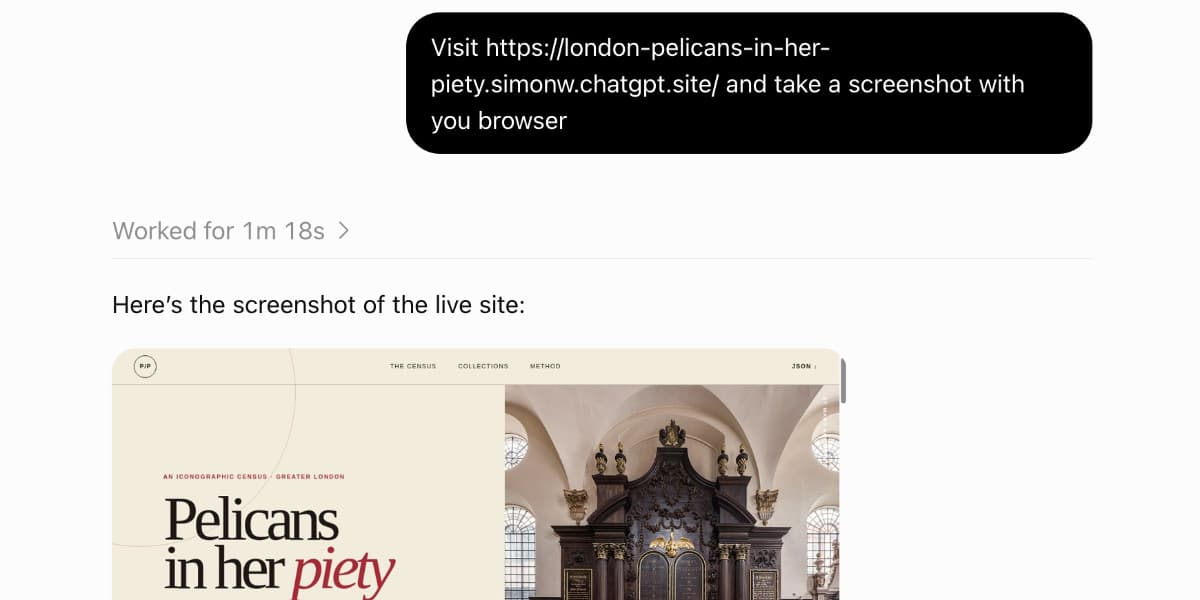
A headless Chrome browser is available within Work, enabling automated web interactions.
Sessions share a persistent filesystem, allowing files created in one session to be accessed later.
Users can publish “ChatGPT Sites” directly from the Work interface.
Sub‑agent sessions can be run with Sol, Luna, and Terra, offering flexible delegation of tasks.
Scheduled prompt automations are supported, though similar functionality may exist in regular Chat.
Model selection in Work includes GPT‑5.6 Sol, Luna, or Terra, each offered at Light, Medium, High, Extra High, Max, or Ultra reasoning levels.
GPT‑5.5 is also selectable at Light, Medium, High, or Extra High.
These model options mirror those available through the OpenAI API.
Standard Chat provides a different set: 5.6 Instant, Medium, High, Extra High, and Pro, with Pro limited to $100 per month+ plans.
The documentation does not clarify whether the Chat models correspond to Sol, Luna, or Terra, though the author assumes Sol.
Model “5.6 Pro” appears exclusive to Chat, with no counterpart in Work.
Billing for Work sessions seems tied to the Codex allowance, while regular Chat sessions have a separate quota.
This billing distinction may explain why certain high‑capacity models are only visible in one interface.
The most exciting feature for long‑time followers of the Code Interpreter pattern is the Internet‑enabled execution environment.
Previously, code execution could install packages but could not reach external sites; Work now lifts that restriction.
The author notes that earlier attempts to install packages in ChatGPT Chat ceased working, highlighting the value of the new capability.
Overall, Work combines advanced model selection, persistent storage, web automation, and unrestricted code execution into a single cloud‑based workflow tool.
Why This Matters: The introduction of a paid, cloud‑native environment that can run code with Internet access expands the practical tasks developers and businesses can automate with ChatGPT.
This digest was compiled from:
Share this digest
People Also Read
- Modal hits $1 billion ARR and $16 billion Series D valuation, becoming NYC’s newest AI infrastructure decacorn after three‑fold usage surge
Modal reaches $1 billion ARR and a $15.75 billion valuation, driven by a three‑fold usage surge and billions of sandboxes.
- Creating AI Systems for Consistent Performance: Insights from Industrial Robotics
Standard Bots uses modest AI models and high‑quality data to deliver reliable industrial robot performance for clients like NASA and Amazon.
- AlphaFold’s Limits Highlight Why Protein Folding Remains Unsolved, Say DeepMind and Biohub Experts
AlphaFold’s breakthrough is a stepping stone; experts say scaling alone won’t solve protein folding without better data and new model designs.
Share your thoughts
Reactions, corrections, or insights — all welcome.